
Get started with Uptime
Uptime checks watch the services around your VPN servers: websites and APIs, pages that must or mustn’t contain a keyword, hosts that should answer ping, TCP ports, DNS servers, and scheduled jobs that should check in. They live in the same projects as your tunnels and alert through the same alert channels. Uptime is in beta, and free during the beta: see Limits.
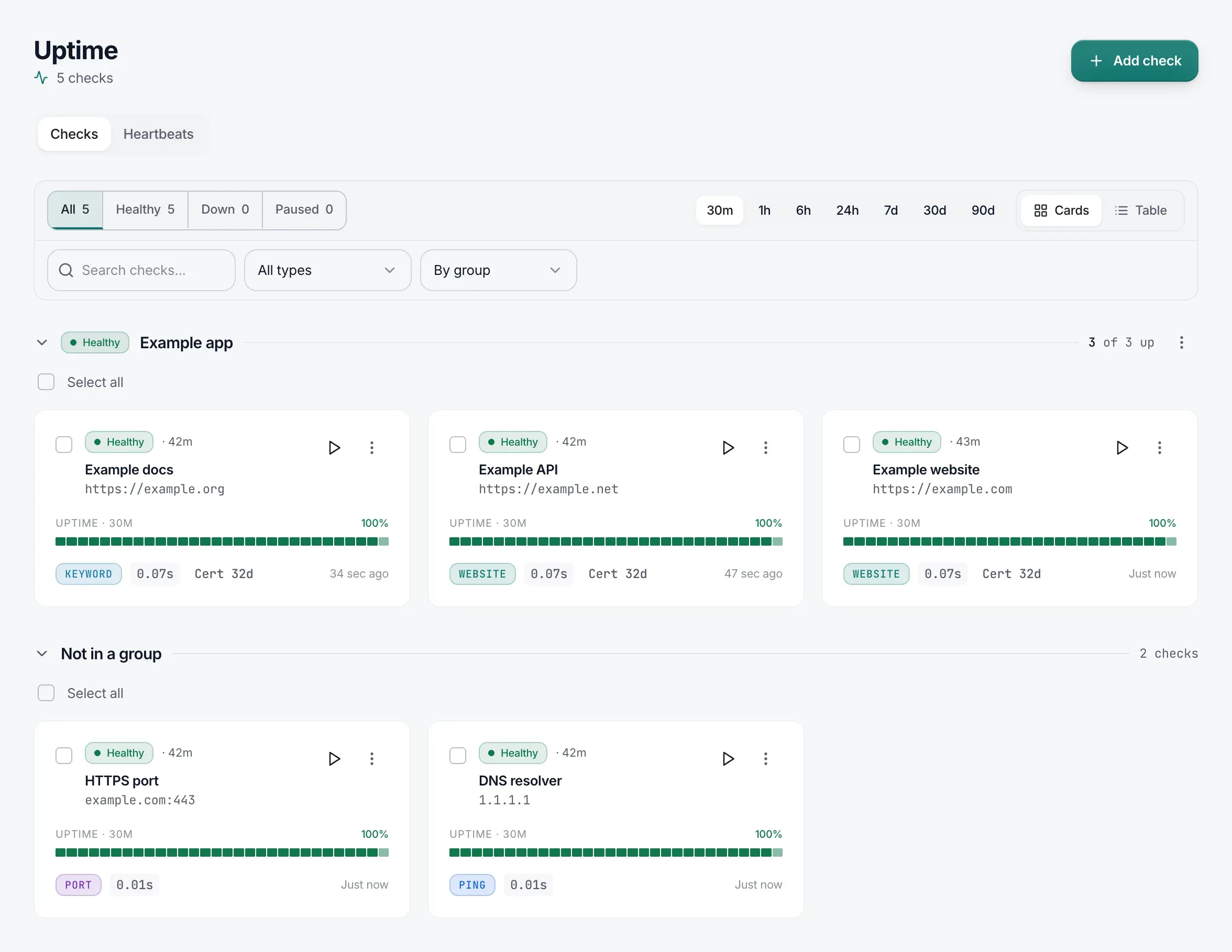
Adding your first check
Section titled “Adding your first check”-
In the sidebar, go to Uptime, and on the Checks tab click Add check.
-
Under Alert us when…, choose what counts as down, and enter the URL or host. The dialog presets this from what you type:
host:portselects the TCP port option, and a bare IP address selects ping.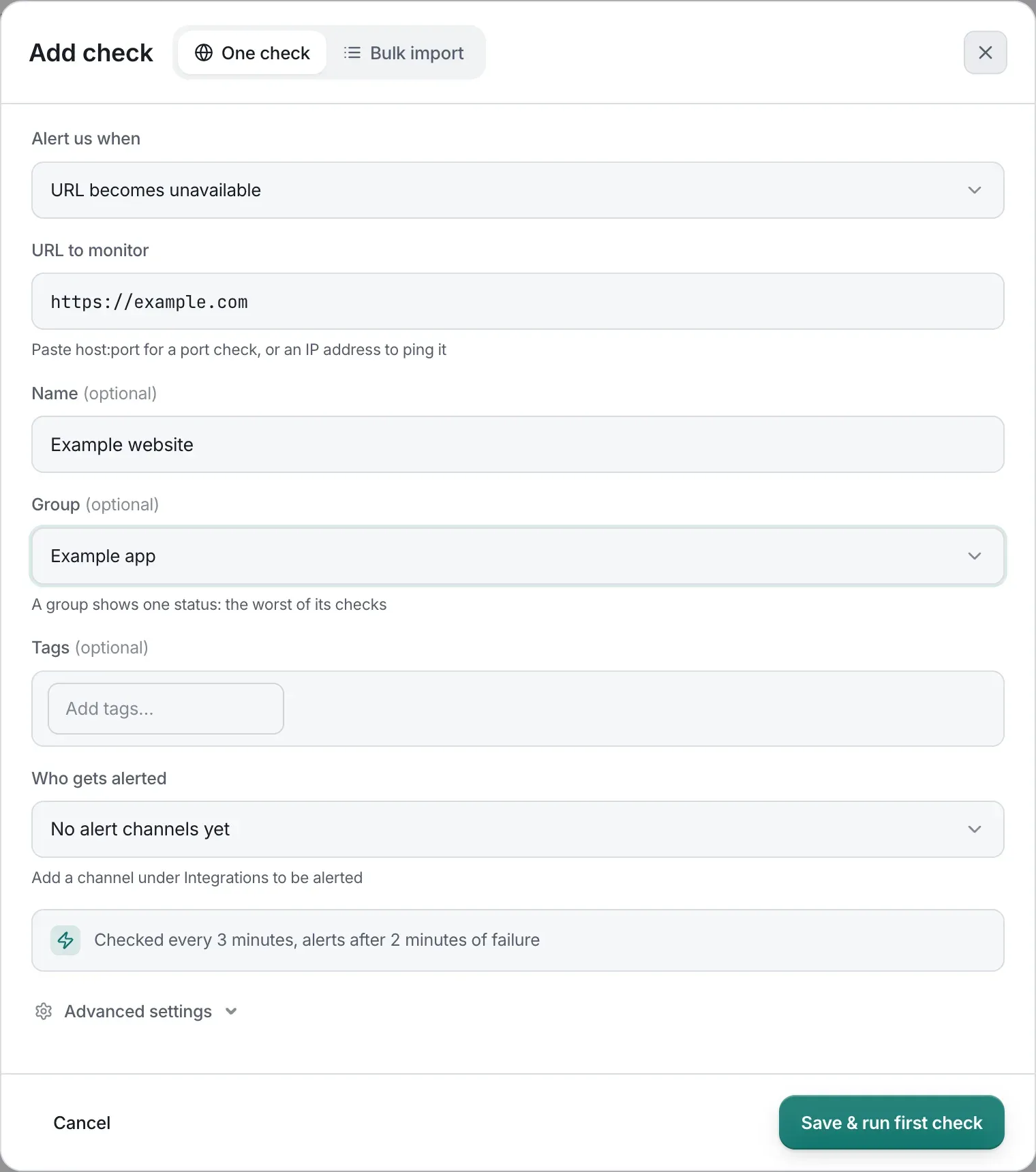
-
Optionally give the check a name, a Group, and tags, and review Who gets alerted. If you leave the name blank, the check is named after its target, such as
example.comorexample.com:443. -
Click Save & run first check.
| Alert us when… | Check type |
|---|---|
| URL becomes unavailable | Website |
| URL returns HTTP status other than | Website |
| URL doesn’t contain keyword | Keyword |
| URL contains a keyword | Keyword |
| Host doesn’t respond to ping | Ping |
| Host doesn’t respond at a TCP port | TCP port |
| DNS server doesn’t respond | DNS |
To monitor a scheduled job instead, use a heartbeat: open the Heartbeats tab and click Add heartbeat.
When the Uptime page is empty, it reads “No checks yet. Pick what to watch.” and lists what you can watch, under four headings:
- Website: Website or API, Keyword on a page, HTTP status, and Certificate and domain expiry.
- Network: Ping and TCP port.
- DNS: DNS server.
- Scheduled jobs: Heartbeat.
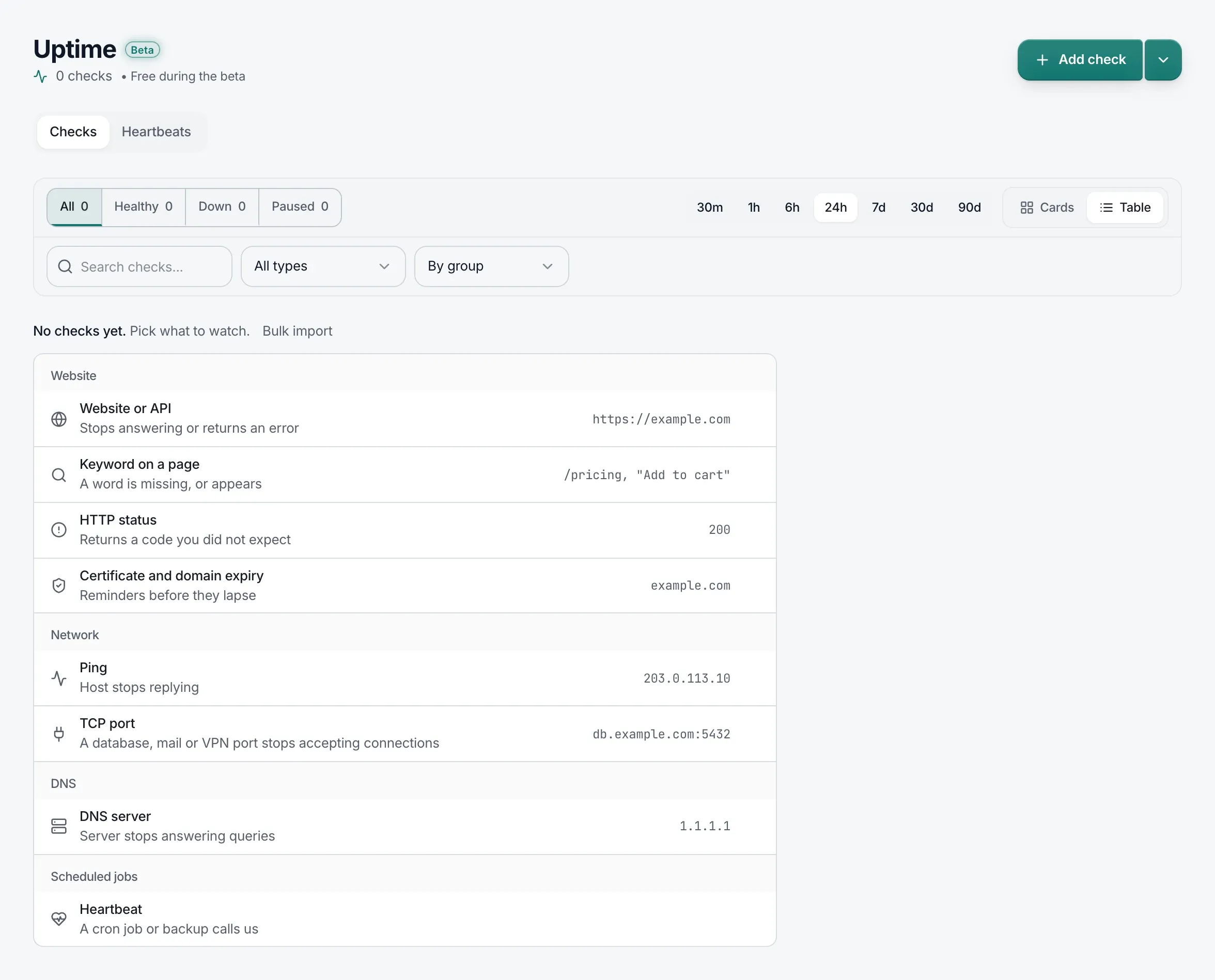
Each opens Add check already set to that kind of check. Certificate and domain expiry opens a website check with both expiry reminders on, at 14 days. A Bulk import link sits above the list. On the Heartbeats tab, an empty page reads “No heartbeats yet. A job calls us each time it runs.”
Adding many checks at once
Section titled “Adding many checks at once”In the Add check dialog, open the Bulk import tab and paste URLs to monitor, one per line.
- Each address becomes a URL becomes unavailable check, with the dialog’s advanced settings, group, tags, and alert channels.
- Duplicates are dropped, and a line that isn’t a web address is reported as “Not a web address: …”.
- If adding stops partway, the dialog says “Added N of M.” followed by the reason. The addresses that weren’t added stay in the box, so adding again retries exactly those.
Limits
Section titled “Limits”Uptime is in beta, and free during the beta: Uptime checks don’t count toward your plan’s tunnel limit, so you can add them even when every tunnel is in use. Plan limits for Uptime checks will be announced.
Checks only reach public addresses.